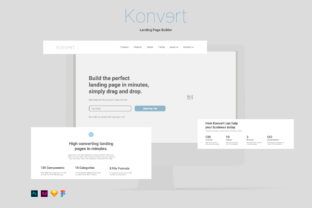
Konvert Landing Page Builder: Create High-Converting Pages with Ease
In today's digital-first world, having a compelling online presence is crucial for businesses, entrepreneurs, and creatives. A well-designed landing page can make the difference between a visitor leaving your site or taking action—whether that’s signing up for a newsletter, purchasing a product, or learning more about your services. Konvert Landing Page Builder is a powerful tool that empowers users to create high-converting landing pages quickly and effortlessly. With its intuitive drag-and-drop interface, customizable elements, and support for multiple design formats, Konvert makes it easy to bring your vision to life without needing advanced technical skills.
What Is Konvert Landing Page Builder?
Konvert Landing Page Builder is a digital tool designed to simplify the process of creating landing pages. It offers a wide range of pre-built components, such as text blocks, buttons, images, icons, and other visual elements, all of which can be easily edited and arranged. The platform is built using a Bootstrap grid system, ensuring that your designs are responsive and look great on any device. Whether you're a beginner or an experienced designer, Konvert provides the flexibility and tools needed to build professional-looking landing pages in minutes.
Why Landing Pages Matter
Landing pages are a key component of digital marketing strategies. Unlike regular web pages, landing pages are designed with a single goal in mind—conversion. This could mean capturing email addresses, encouraging downloads, or driving sales. According to studies, well-optimized landing pages can significantly increase conversion rates, making them essential for businesses looking to grow their audience and generate leads.
However, creating effective landing pages often requires a blend of design, copywriting, and user experience (UX) knowledge. That’s where Konvert comes in. By offering a user-friendly interface and a library of editable elements, Konvert removes many of the barriers that prevent people from building high-quality landing pages on their own.
How Konvert Works: Drag and Drop Simplicity
One of the standout features of Konvert is its drag-and-drop functionality. This means you don’t need to write code or use complex design software to create a landing page. Instead, you can simply select elements from the library, drag them onto the canvas, and arrange them to suit your needs. This approach makes it incredibly easy to experiment with different layouts and design choices without getting bogged down by technical details.
For example, if you want to add a call-to-action button, you can drag it into place, customize its text, change the color, and even adjust its size—all within seconds. Similarly, you can insert images, add icons, or modify typography to match your brand’s style. This level of control ensures that your landing page not only looks good but also aligns with your overall branding and messaging.
Customization at Your Fingertips
Konvert goes beyond just layout by offering extensive customization options. Every element is vector-based, meaning it can be scaled without losing quality. This is especially useful when designing for different screen sizes or resolutions. You can change colors, fonts, spacing, and even add custom animations to enhance the user experience.
Additionally, Konvert supports multiple file formats, including Photoshop, XD, Sketch, and Figma. This makes it easy to integrate with other design tools you may already be using. Whether you’re working in Adobe Photoshop CC, Adobe XD, Sketch 50.2, or Figma, you can import and edit Konvert templates directly within your preferred environment.
The Power of Vector-Based Elements
Vector-based design is a game-changer for digital creators. Unlike raster images, which can become pixelated when resized, vector graphics maintain their clarity at any scale. This means your landing pages will look sharp and professional on all devices, from desktop computers to mobile phones.
With Konvert, every element—from buttons to icons—is built using vector paths. This gives you the freedom to tweak and adjust designs without worrying about image quality. For instance, if you need to change the color of a button or adjust the size of an icon, you can do so seamlessly without compromising the visual integrity of your page.
Support for Multiple Design Tools
Konvert’s compatibility with popular design platforms like Photoshop, XD, Sketch, and Figma makes it a versatile choice for designers and developers alike. These tools are widely used in the design industry, and Konvert’s integration ensures that you can work within your existing workflow without disruption.
For example, if you’re a designer who prefers to work in Figma, you can download Konvert templates and start editing them right away. Similarly, if you’re more comfortable with Photoshop, you can import Konvert files and take advantage of its advanced tools. This flexibility allows teams to collaborate more effectively and ensures that everyone can contribute to the design process regardless of their preferred software.
Real-World Applications of Konvert
Konvert is ideal for a wide range of use cases. Entrepreneurs can use it to launch new products, marketers can create targeted campaign pages, and educators can build engaging course landing pages. Its ease of use and customization options make it a valuable asset for anyone looking to improve their online presence.
Consider a small business owner who wants to promote a new service. With Konvert, they can quickly build a landing page that highlights the benefits of their offering, includes customer testimonials, and features a clear call-to-action. Without the need for coding or hiring a designer, they can have a professional-looking page up and running in no time.
Common Misconceptions About Landing Page Builders
Some people assume that landing page builders are limited in terms of design flexibility or that they produce generic, cookie-cutter results. However, Konvert challenges these assumptions by offering a robust set of tools and a high degree of customization. While it provides pre-built templates, it doesn’t restrict your creativity. Instead, it empowers you to tailor every detail to fit your unique vision.
Another common misconception is that landing page builders are only for non-designers. In reality, even experienced designers can benefit from Konvert’s efficiency and versatility. It allows for quick prototyping, seamless collaboration, and consistent branding across projects.
Getting Started with Konvert
If you’re ready to try Konvert Landing Page Builder, the process is straightforward. Start by downloading the necessary file formats—Photoshop, XD, Sketch, or Figma—depending on your preferred design tool. Once you’ve imported the files, you can begin experimenting with different layouts, customizing elements, and refining your design.
For those new to the platform, Konvert offers a wealth of resources, including tutorials, documentation, and community support. These tools can help you get up to speed quickly and make the most of the platform’s capabilities.
Conclusion
Konvert Landing Page Builder is a powerful solution for anyone looking to create high-converting landing pages without the need for advanced technical skills. Its drag-and-drop interface, vector-based elements, and compatibility with major design tools make it a versatile and user-friendly option for both beginners and professionals. Whether you’re launching a new product, running a marketing campaign, or building a personal brand, Konvert provides the tools and flexibility needed to succeed in today’s digital landscape.