Wirey Wireframe Kit Pack
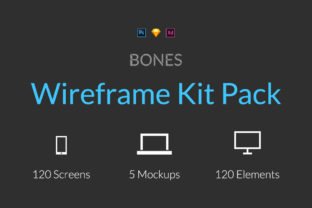
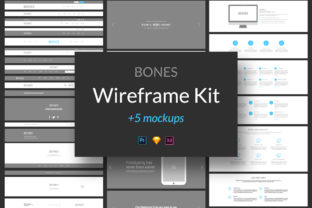
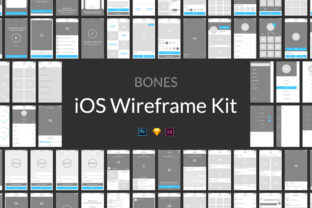
The Wirey Wireframe Kit Pack is a powerful tool designed to streamline your design workflow and help you bring ideas to life faster. With 200 ready-to-use screens and 200 website elements, this kit offers a comprehensive set of resources that can be used in Adobe Photoshop CS5 and Sketch 3.8. Whether you're working on a mobile app, a web project, or a digital product, the Wirey Wireframe Kit Pack provides the building blocks you need to create clear and effective wireframes quickly.
What makes the Wirey Wireframe Kit Pack stand out is its focus on speed and flexibility. Instead of starting from scratch, you can use pre-designed elements to jumpstart your projects. This not only saves time but also allows you to focus more on the creative aspects of your work. The kit is designed with usability in mind, making it easy for both beginners and experienced designers to get up to speed quickly.
Why Use Wirey Wireframe Kit Pack?
For designers, the Wirey Wireframe Kit Pack is a game-changer. It eliminates the need to recreate common UI components, which can be time-consuming and repetitive. By using the pre-made elements, you can maintain consistency across your designs while still allowing room for customization. This is especially useful when working on large-scale projects where maintaining a cohesive look and feel is essential.
Marketers and entrepreneurs will also find value in the Wirey Wireframe Kit Pack. It enables you to present your ideas to clients or stakeholders in a professional manner without the need for complex design tools. You can create high-fidelity prototypes that showcase your vision clearly, helping to secure buy-in and feedback early in the process. This can lead to more efficient collaboration and faster decision-making.
Creative Possibilities with Wirey Wireframe Kit Pack
The Wirey Wireframe Kit Pack opens up a world of creative possibilities. You can use the provided elements to experiment with different layouts, user flows, and interactions. For example, if you're designing a mobile app, you can mix and match screens to test various navigation structures. This allows you to explore multiple design directions before settling on the best solution.
Another benefit of the kit is its adaptability. Whether you're creating a simple landing page or a complex SaaS dashboard, the elements can be rearranged and modified to suit your needs. This flexibility makes it ideal for a wide range of projects, from personal side ventures to enterprise-level applications.
How Different Users Can Benefit
Designers working on tight deadlines will appreciate the efficiency that the Wirey Wireframe Kit Pack brings to their workflow. Instead of spending hours on basic elements, they can focus on refining the user experience and ensuring that the design meets the project's goals. This can lead to higher-quality outputs and more satisfied clients.
Freelancers and small business owners can use the kit to deliver consistent and professional results without the need for extensive design resources. It’s an affordable way to elevate the quality of their work and stand out in a competitive market. Educators and students can also benefit by using the kit as a learning tool, helping them understand design principles and best practices through hands-on experimentation.
Practical Applications and Use Cases
One practical application of the Wirey Wireframe Kit Pack is in the development of e-commerce websites. You can use the pre-designed elements to create wireframes for product pages, checkout flows, and user accounts. This helps ensure that the design is intuitive and user-friendly, which is crucial for converting visitors into customers.
Another use case is in the creation of landing pages for marketing campaigns. By leveraging the kit’s elements, you can quickly prototype different variations of a landing page to test which one performs best. This data-driven approach can lead to more effective marketing strategies and better return on investment.
Keeping Results Clear and Effective
To make the most of the Wirey Wireframe Kit Pack, it’s important to keep your designs clear and organized. Start by defining the purpose of each screen and how it contributes to the overall user experience. This will help you avoid clutter and ensure that your wireframes are easy to understand and navigate.
Consistency is key when using the kit. Stick to a unified style guide to maintain visual harmony across your designs. This not only improves the aesthetic appeal but also enhances usability. By following these principles, you can create wireframes that are both functional and visually appealing.
Getting Started with Wirey Wireframe Kit Pack
Getting started with the Wirey Wireframe Kit Pack is straightforward. Once you’ve downloaded the files, open them in Adobe Photoshop CS5 or Sketch 3.8 and begin exploring the available elements. Take time to familiarize yourself with the different screens and components so you can use them effectively in your projects.
As you work, don’t hesitate to customize the elements to fit your specific needs. Whether you’re adjusting colors, adding text, or rearranging layouts, the kit is designed to be flexible and adaptable. This allows you to maintain your unique design voice while still benefiting from the efficiency of pre-made assets.